
Overview
You will learn
- How to design and deploy an integration flow using the web-based integration flow designer
- How to design an integration flow to fetch data from an online web shop that is available as an OData service


Prerequisites
Prerequisites
- You’ve provisioned your SAP Integration Suite tenant. For more information, see Set Up SAP Integration Suite Trial.
Steps
Choose Design > Integrations and APIs > Create to create an integration package.
An integration flow must be associated with an integration package.
In the Header tab, provide a Name and Short Description for your integration package.
The Technical Name gets populated automatically based on the name that you provide.
Choose Save and then choose Artifacts to navigate to the artifacts tab. In this tab, you will create your first integration flow.

Provide package details and navigate to artifacts Choose Add > Integration Flow.

Add integration flow artifact Enter a Name for the integration flow and choose Add and Open in Editor.
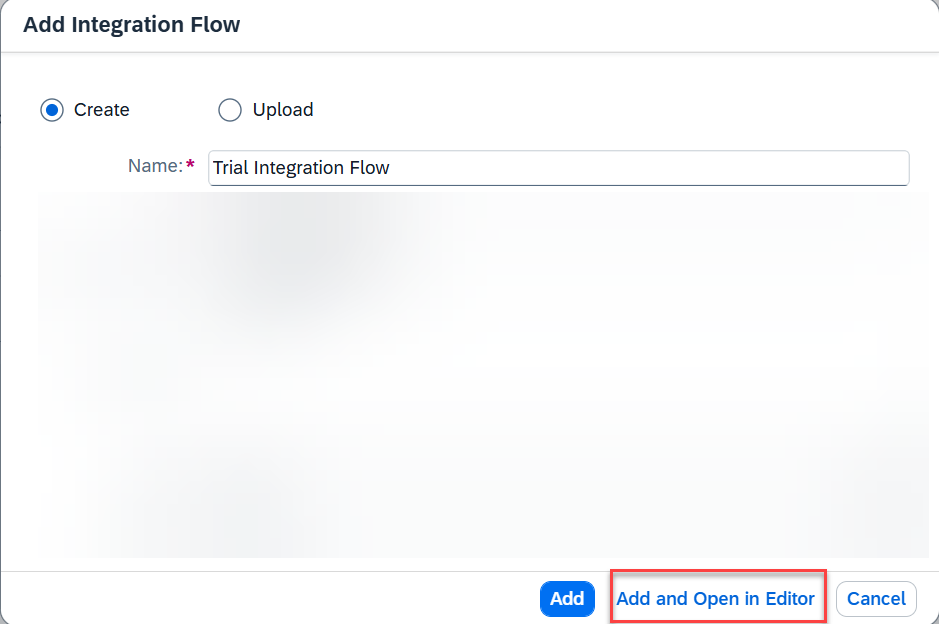
Enter integration flow details and confirm Choose Edit to start editing the integration flow.
Choose Restore at the bottom right corner to bring up the Property Sheet. Property sheet is the place where you define the parameters for every step in the integration flow.

Start editing the integration flow
In this step, you define your sender channel and sender adapter. In this case, we use a HTTPS sender adapter.
Choose the Sender step. Create the sender channel by clicking the arrow icon on Sender and dragging it to the Start step.

Create the sender channel In the Adapter Type prompt, select the HTTPS adapter.

Select HTTPS adapter In the property sheet, select the Connection tab. In the Address field, enter
/products/details.Optionally, you can enter any value of your choice, but ensure that you use "/" symbol before specifying the endpoint name. Deselect the CSRF Protected checkbox (this will be selected by default).

Configure HTTPS connection
Input to the integration flow is sent in JSON format. At a later point, you communicate to a web shop, which is a OData service that understands only XML. You use a converter for this JSON to XML conversion. After the input is converted into XML, the message is sent as header information to the OData service to fetch the required product details.
From the palette (the grey bar on the top containing integration flow steps), choose Message Transformers > Converter > JSON to XML Converter.

JSON to XML Converter Connect the converter to the message path by clicking on the message path.

Connect JSON to XML Converter to message path
The Content Modifier allows you to modify a incoming message by changing the content of the data containers that are involved in message processing (message header, message body, or message exchange). The data written to the message header using a Content Modifier also becomes part of the outbound message addressed to a receiver system. For more information about Content Modifier, see Content Modifier Basics.
Choose Message Transformers > Content Modifier and add it to the message path, as you did for the JSON to XML Converter.
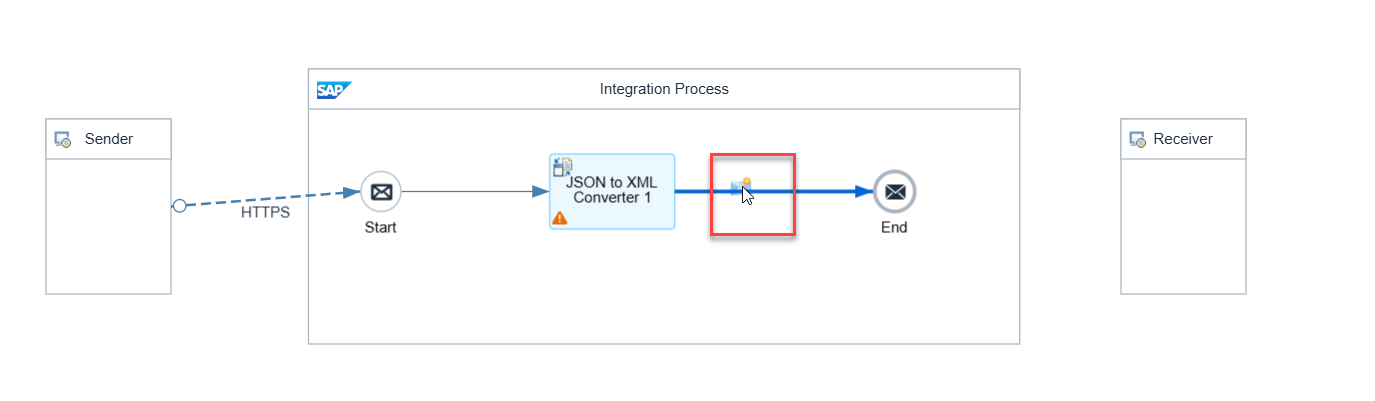
Add Content Modifier In the property sheet, choose Message Header > Add to configure the Content Modifier. Enter the following parameters:
Field Name Description Action CreateName productIdentifierSource Type Select XPathfrom the dropdown listSource Value //productIdentifierData Type java.lang.String
Configure Content Modifier
Certain integration scenarios might require that Cloud Integration communicates with an external service, retrieves data from it, and further processes the data. In such cases, you can use the request reply step as an exit to connect to the external service.
From the palette, choose Call > External Call > Request Reply. Connect it to the message path, similar to the previous steps.
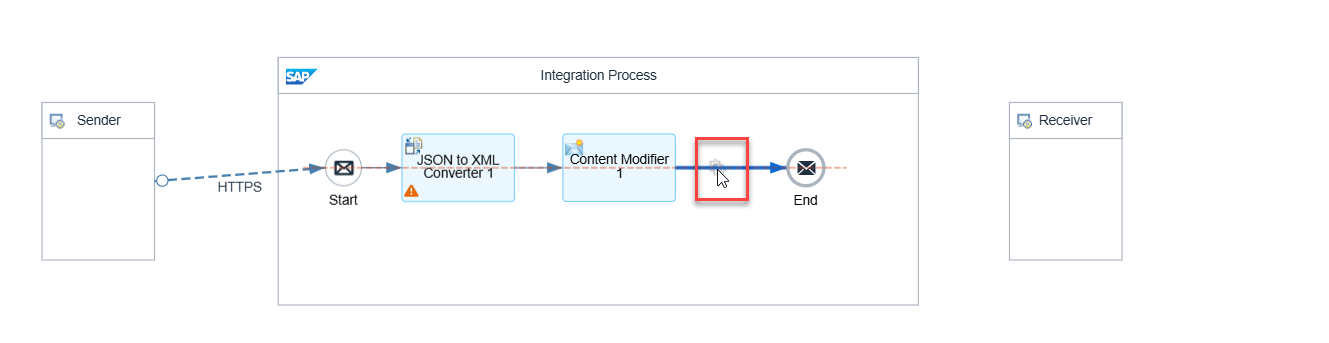

You have now created a step that will (in the further step) connect and communicate with on OData service, and retrieves data from it.
Move the Receiver step below the Request Reply step by selecting it and dragging it to the desired position on the editor. You do this to ensure that your integration flow is elegantly designed.
TIP: Use the pan and zoom controls (highlighted in yellow) for resizing the canvas. Use the guidelines to ensure that Receiver is aligned with the Request Reply step.

Move Receiver below Request Reply Connect the Request Reply to Receiver by dragging the arrow icon on Request Reply to the Receiver.

Connect Request Reply to Receiver In the Adapter Type prompt, select OData. In the Message Protocol prompt, select OData V2.

Select adapter 
Select message protocol Select the Connection tab. In the Address field, enter
https://refapp-espm-ui-cf.cfapps.eu10.hana.ondemand.com/espm-cloud-web/espm.svc. This is the URL of the online web shop from which the product details will be fetched.Select the Processing tab and choose Select in the Resource Path field.

OData processing resource path selection - 1 Ensure the connection details are the same and choose Step 2.
Choose the Select Entity field and choose Products from the dropdown list.

OData processing resource path selection - 3 Enable the Select All Fields checkbox and choose Step 3.

OData processing resource path selection - 4 In the Filter By section, choose the Select Field icon.

OData processing resource path selection - 5 Choose Product ID and then OK.

OData processing resource path selection - 6 In the dropdown list, select Equal. In the value field, enter
${header.productIdentifier}. Choose Finish.
OData processing resource path selection - 7
Now you have configured the OData adapter to fetch the details of the product based on the product ID that you send as input while making the HTTP call.
Choose Deploy to deploy the integration flow. Choose Yes in the confirmation dialog for deployment. The deployment can take some time to finish.

Deploy integration flow and access deployment status Once the integration flow is deployed, go to the Deployment Status tab in the propery sheet. Here, you can see details about the deployment for the integration flow. The expected deployment status is Deployed and runtime status is Started.

View deployment status
Later in the mission, you will use the endpoint of the deployed integration flow in a subsequent step. You will define the integration flow endpoint as application programming interface (API). And finally, call the integration flow API using API Management.
Resources
Discussion
Share feedback on this tutorial or join the conversation in SAP Community.