
Overview


Prerequisites
Prerequisites
- This tutorial is designed for SAP HANA on premise and SAP HANA, express edition. It is not designed for SAP HANA Cloud.
Steps
If you are using SAP HANA, express edition, go to https://hxehost:39030 to access the xsa-cockpit app.
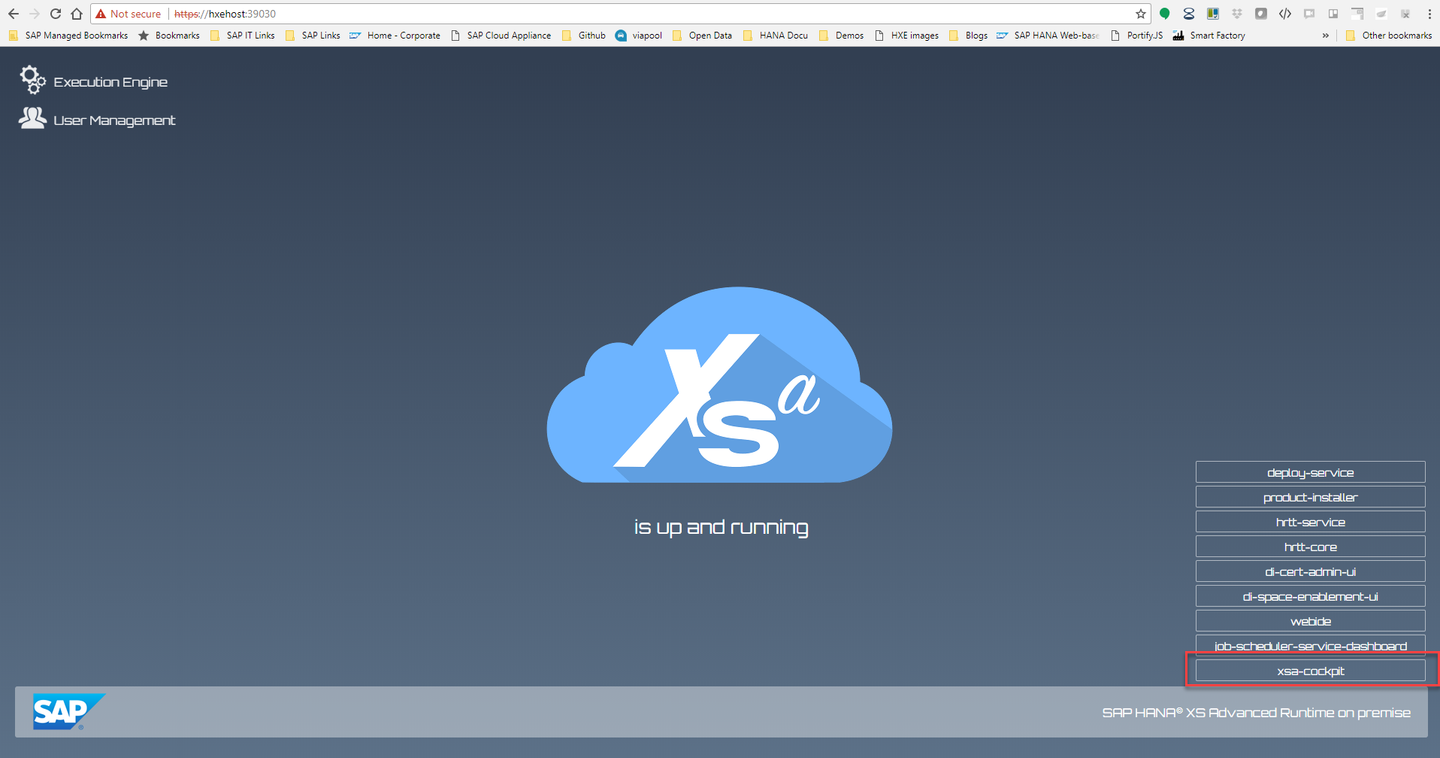
If you are not using SAP HANA, express edition, or you have changed the ports, you can find out the right URL using command
xs appson the Command Line Interface and look for the URL for applicationxsa-cockpit. You can access the CLI directly from an SSH console on the server or download using the Download Manager. You can get the Download Manager after registering at the Download site
Log in using xsa_admin (or, if unavailable, a user with authorizations to create Spaces)

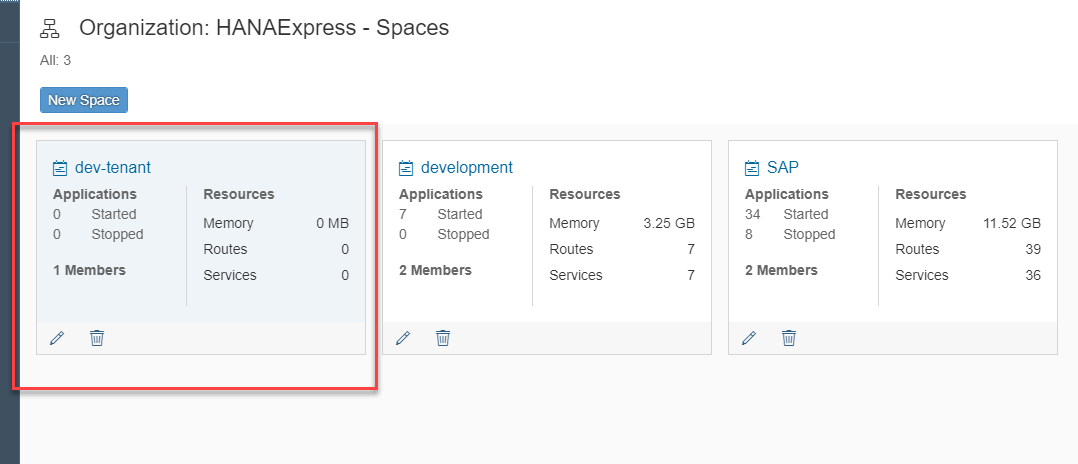
Click on Organizations and on the organization to which you want to add a space

Then on New Space

Provide a name for the space and the roles you want to give to XSA_ADMIN

Click the space
Click Members and then on Add Member

Select the users you want to add to the space and their roles:

Go back using the Home button

Go back using the home button and go into the SAP space

Look for the app di-space-enablement-ui and enable it if it is not running yet:

Once it is running, click on the link to see the URL (by default, https://hxehost:39030 )

In the Space Enablement tool, click on Enable:

Wait until processing finishes and you get a successful message:

The space is now ready to use.
Resources
Discussion
Share feedback on this tutorial or join the conversation in SAP Community.